Step 1: How the doc works
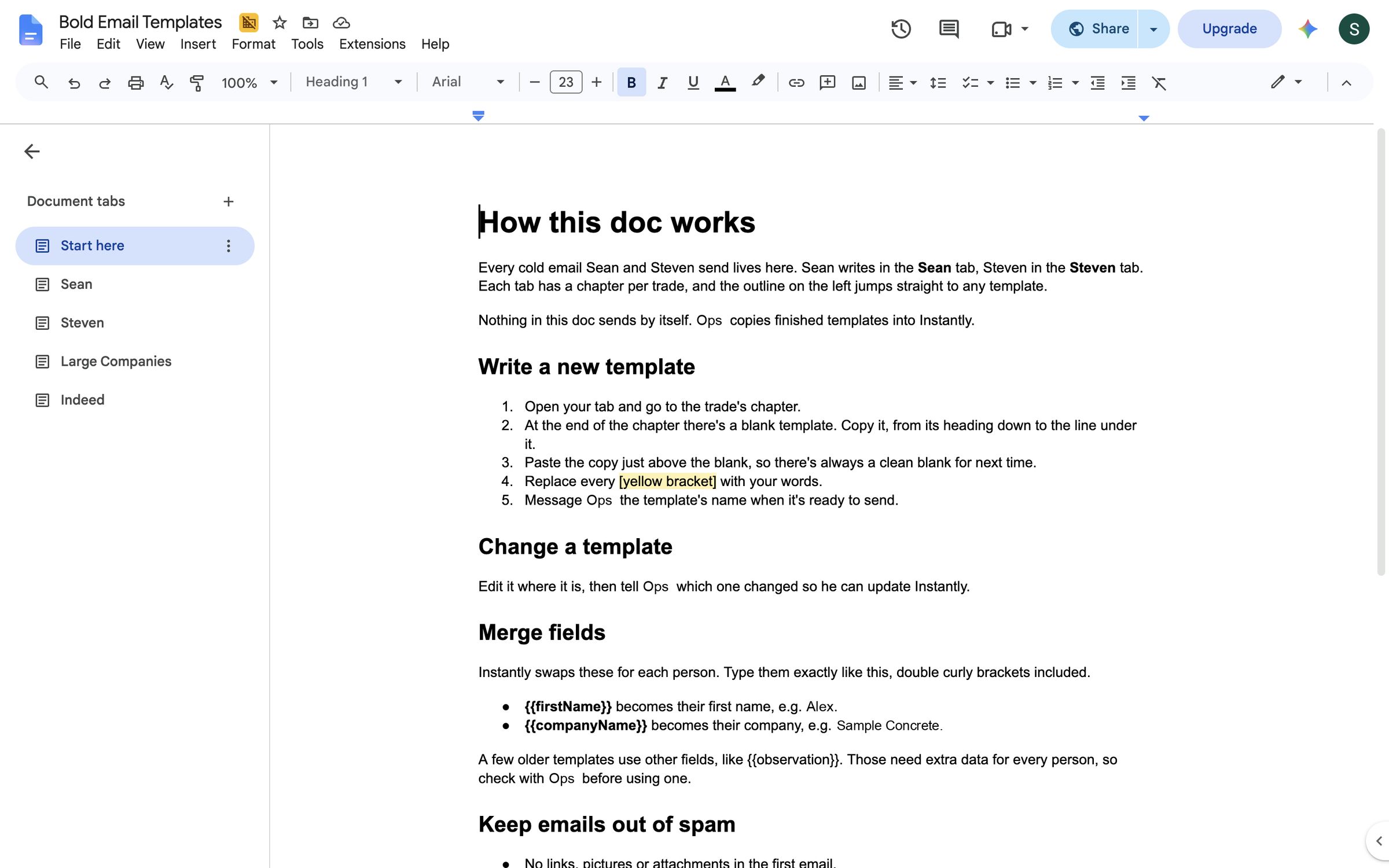
The Start here tab explains how the doc works. Nothing in it sends by itself: finished emails are copied into Instantly by whoever runs the campaigns.
 Full size

No guides found
Guide 13 of 13 · Our docs · Google Docs
Updated Sep 30, 2026
Bold Email Templates is the Google Doc that holds every cold email before it goes into Instantly. Writers draft and change emails here, never in Instantly. This guide shows how the doc is laid out and the rules that keep an email out of spam.
The narrated video of this guide is in the library: https://campus.boldestimations.com/video/docs-email-templates.mp4
Screens recorded Sep 30, 2026 in Bold Estimation's Zapmail, Instantly and Google accounts. Names, email addresses and phone numbers of real people are replaced with placeholders or blurred, and typed examples are made up. If a screen looks a little different, the tool has updated: find the same label nearby.
The Start here tab explains how the doc works. Nothing in it sends by itself: finished emails are copied into Instantly by whoever runs the campaigns.
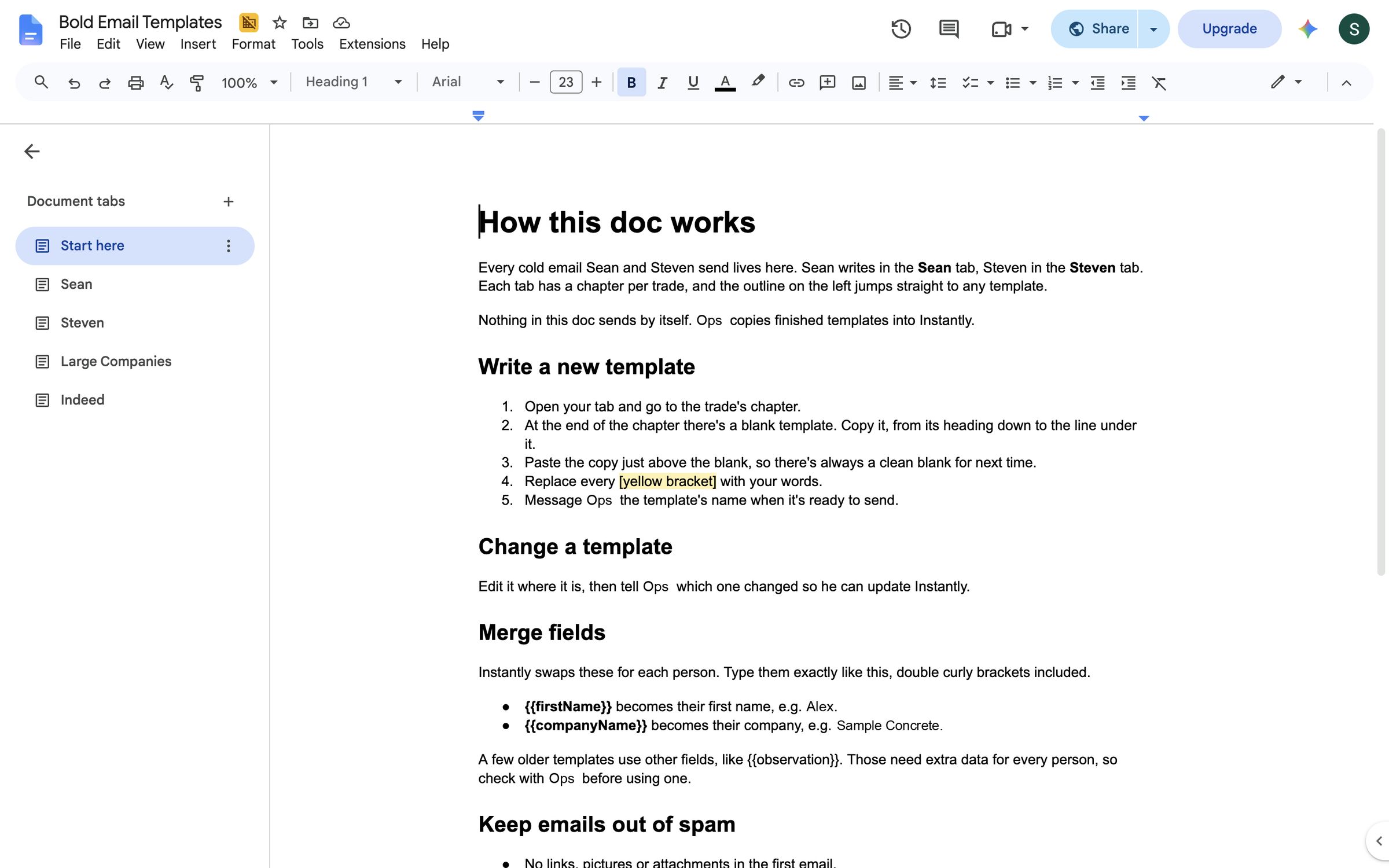
Full sizeEach writer has a tab, and Large Companies and Indeed hold the emails for those campaigns. Inside a tab there is a chapter per trade.
 Full size
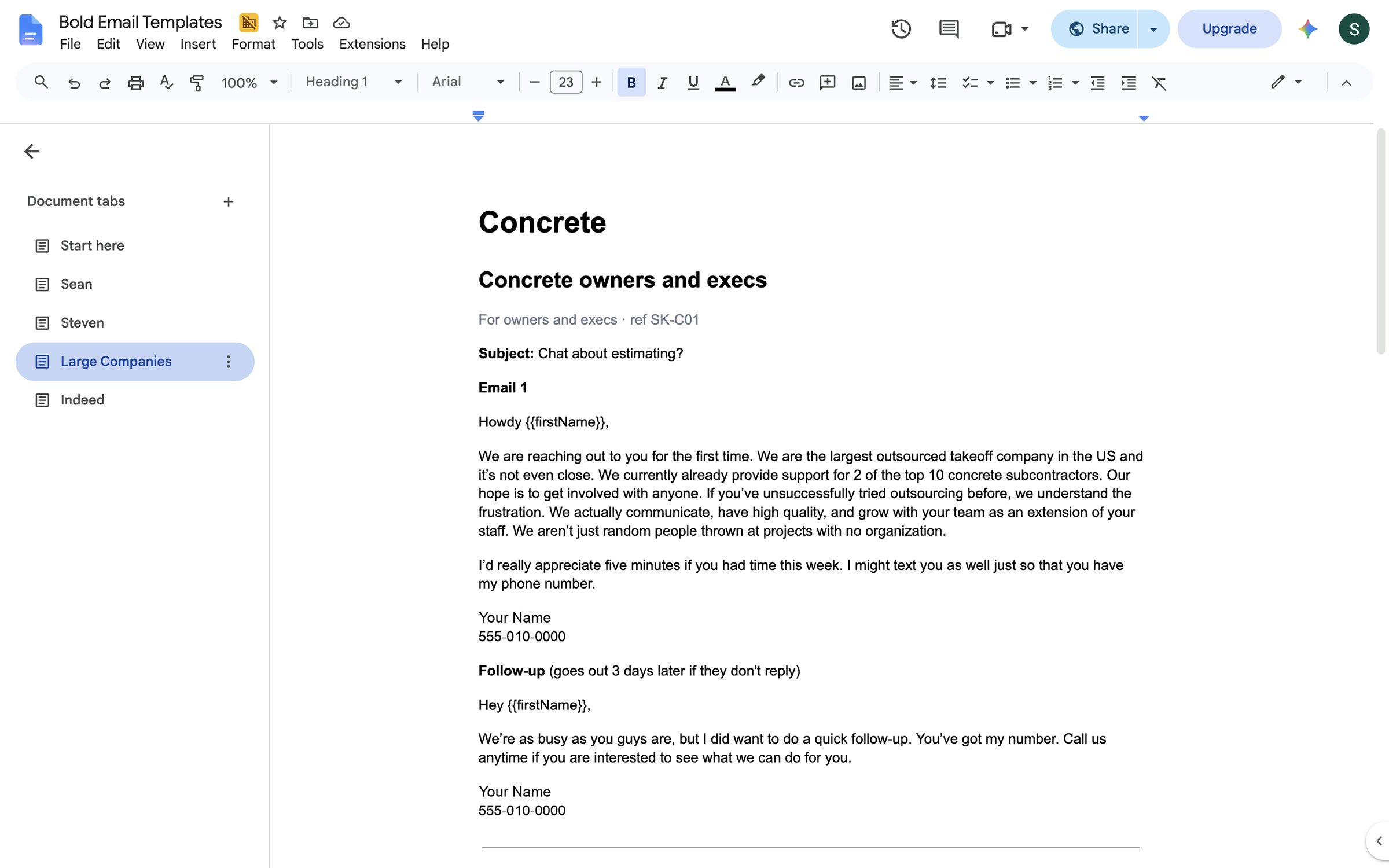
Open a tab to see its emails. Each one has a subject line, the first email and the follow up. Merge fields in double curly brackets, like first name, fill in for each person.
 Full size
Go back to Start here.
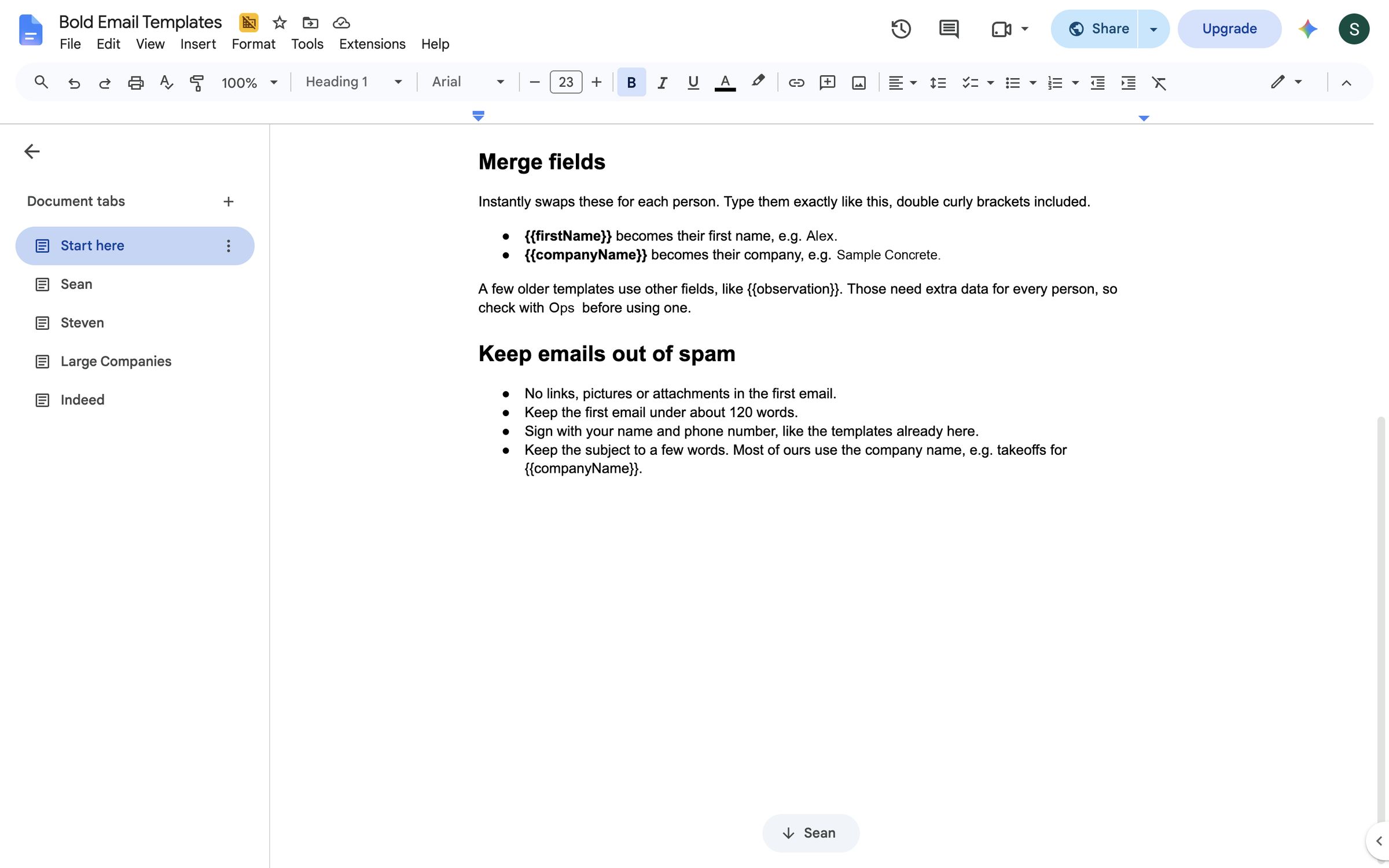
At the bottom are the spam rules: no links, pictures or attachments in the first email, under about 120 words, a short subject, and your name and phone number at the end.
 Full size
Watch out. To change an email, edit it here, then tell the person who runs the campaigns which one changed. They pause the campaign, copy the new wording into Instantly, and resume it.
Not started