Step 1: Open Domains
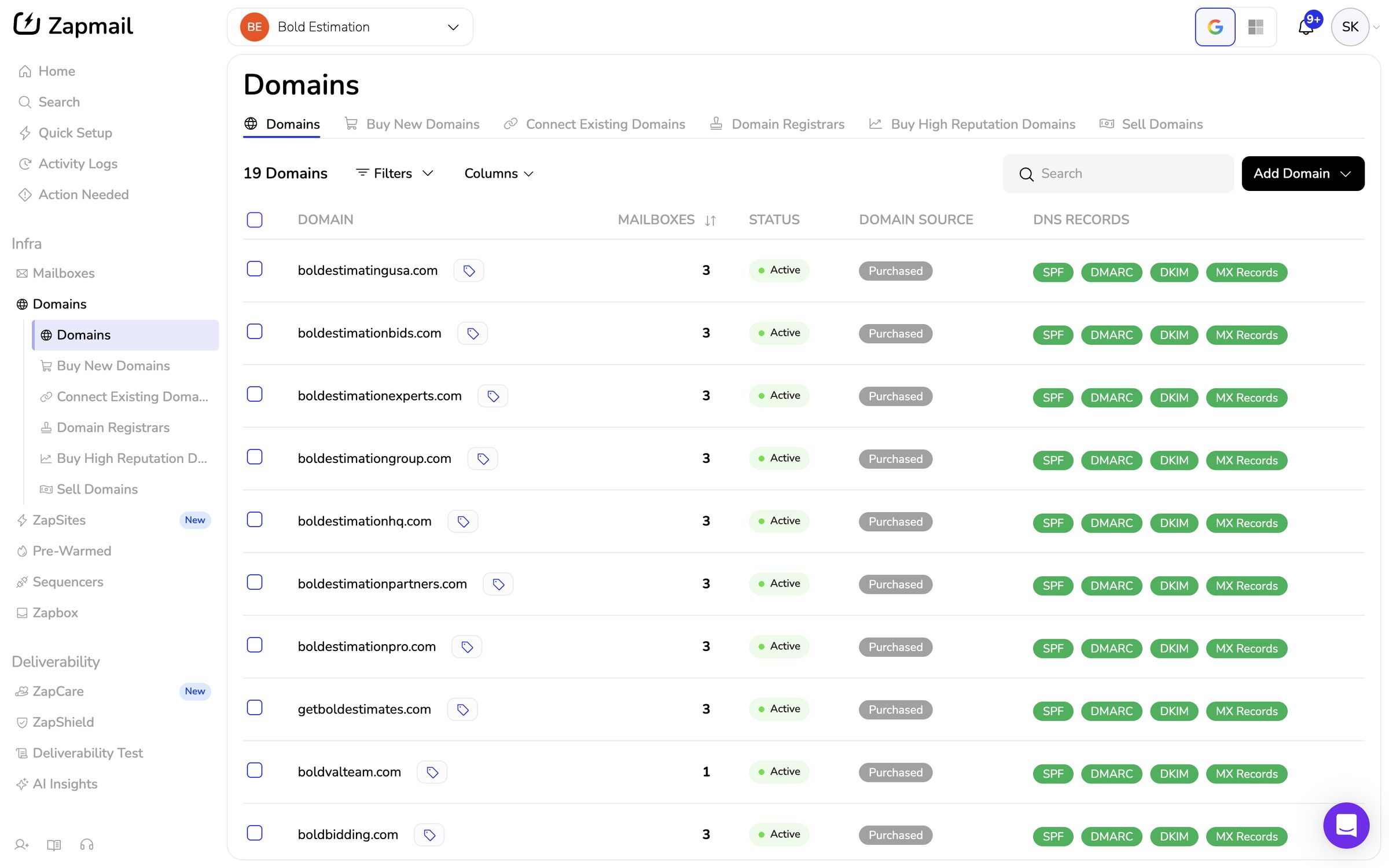
Sign in to Zapmail and click Domains in the left menu. If a popup appears, dismiss it. The number at the top counts every sending domain.
 Full size

No guides found
Guide 2 of 13 · Zapmail
Updated Sep 30, 2026
Zapmail sells and holds the domains and mailboxes Bold's cold email goes out from. Sign in at app.zapmail.ai. Once a week, confirm that every domain still has its four DNS records and every mailbox says Active. It takes three minutes and changes nothing.
The narrated video of this guide is in the library: https://campus.boldestimations.com/video/zapmail-check-domains-and-mailboxes.mp4
Screens recorded Sep 30, 2026 in Bold Estimation's Zapmail, Instantly and Google accounts. Names, email addresses and phone numbers of real people are replaced with placeholders or blurred, and typed examples are made up. If a screen looks a little different, the tool has updated: find the same label nearby.
Sign in to Zapmail and click Domains in the left menu. If a popup appears, dismiss it. The number at the top counts every sending domain.
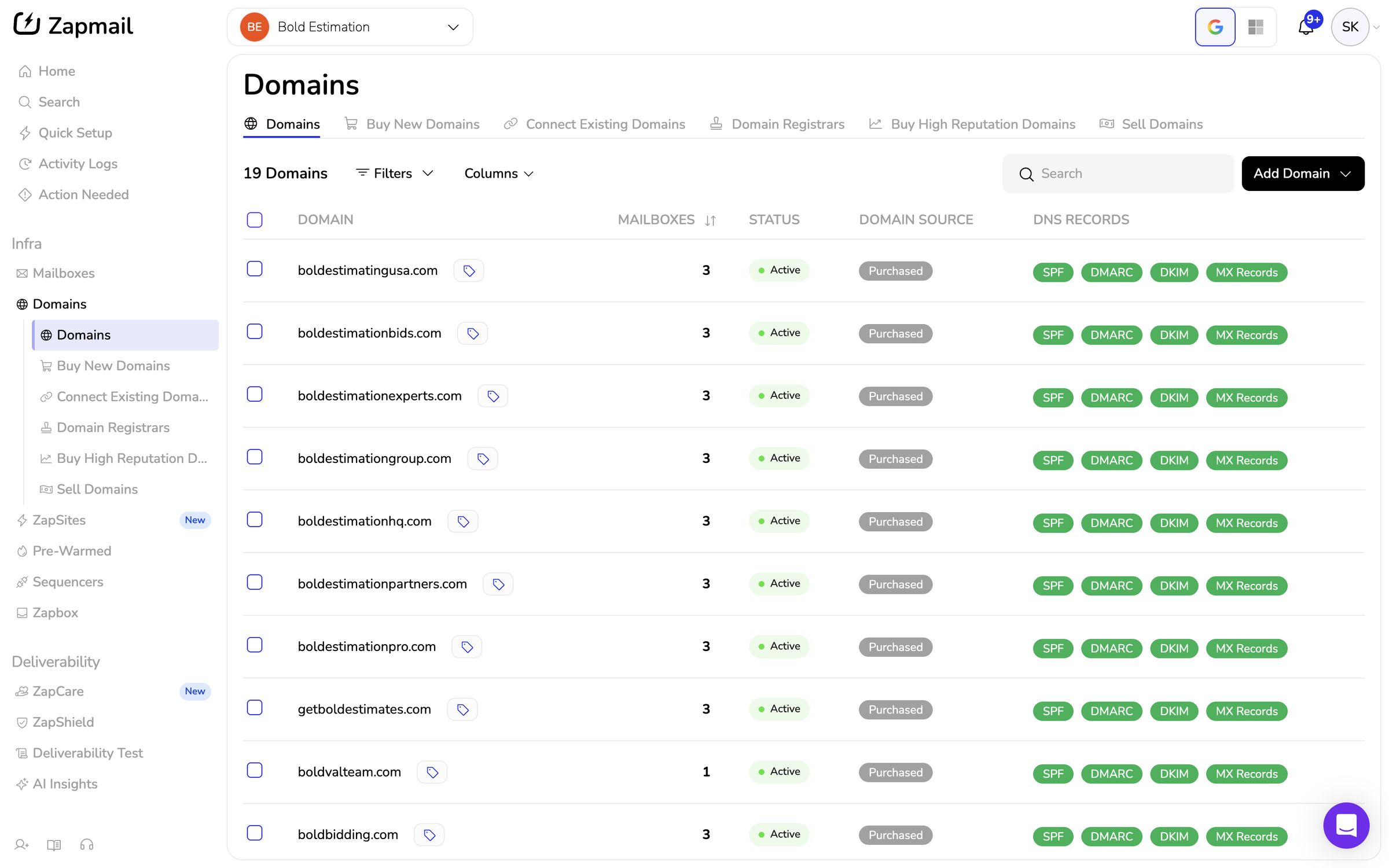
Full sizeEach line is one domain. Mailboxes shows how many addresses it holds, and Status should say Active.
 Full size
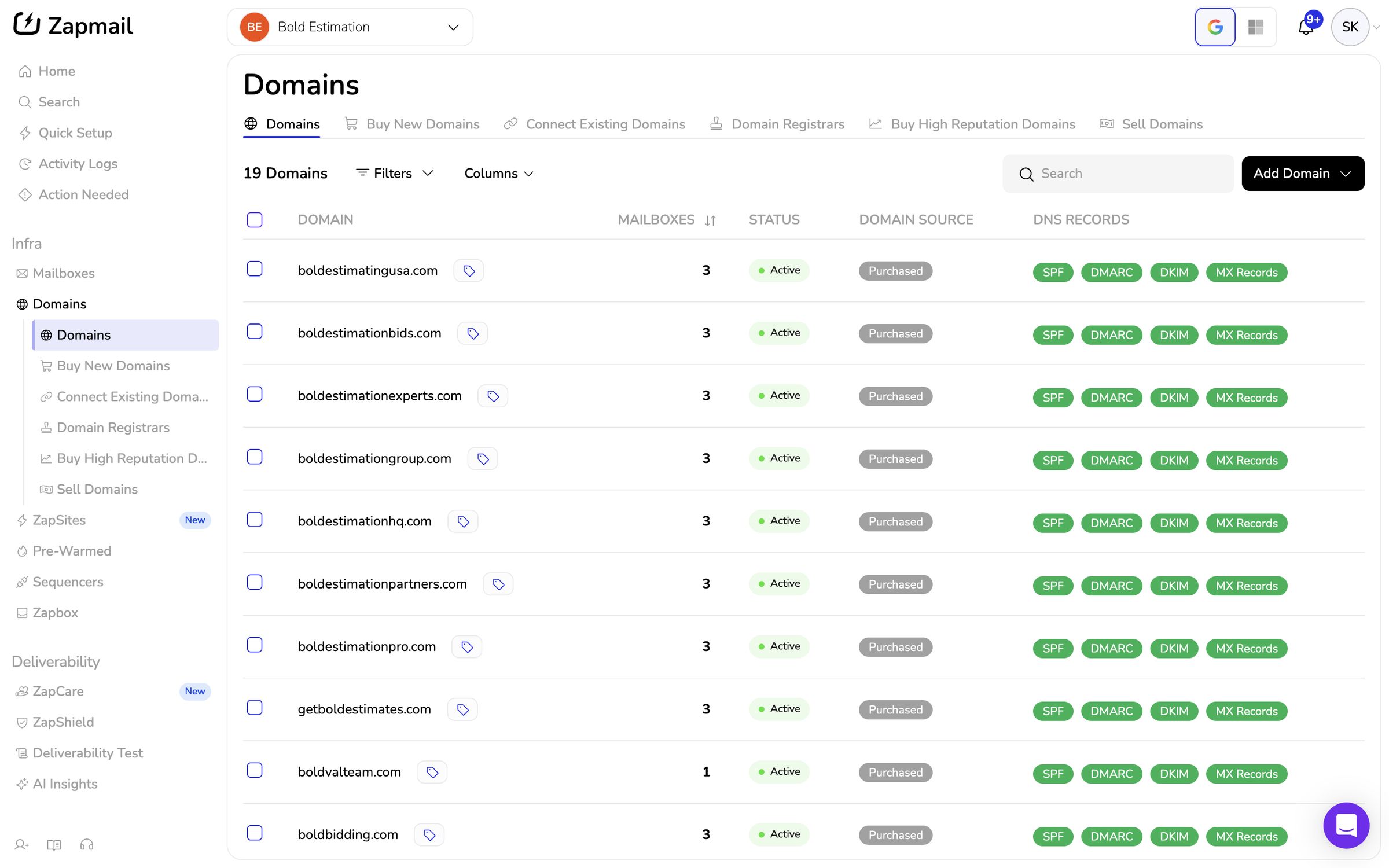
On the right are four green labels: SPF, DMARC, DKIM and MX. Together they prove the domain is allowed to send email. Every domain needs all four.
 Full size
Watch out. If a label is missing or not green, take that domain's mailboxes out of every Instantly campaign today, then ask Zapmail support to restore the record. A domain with a missing record lands in spam.
Next, click Mailboxes in the left menu.
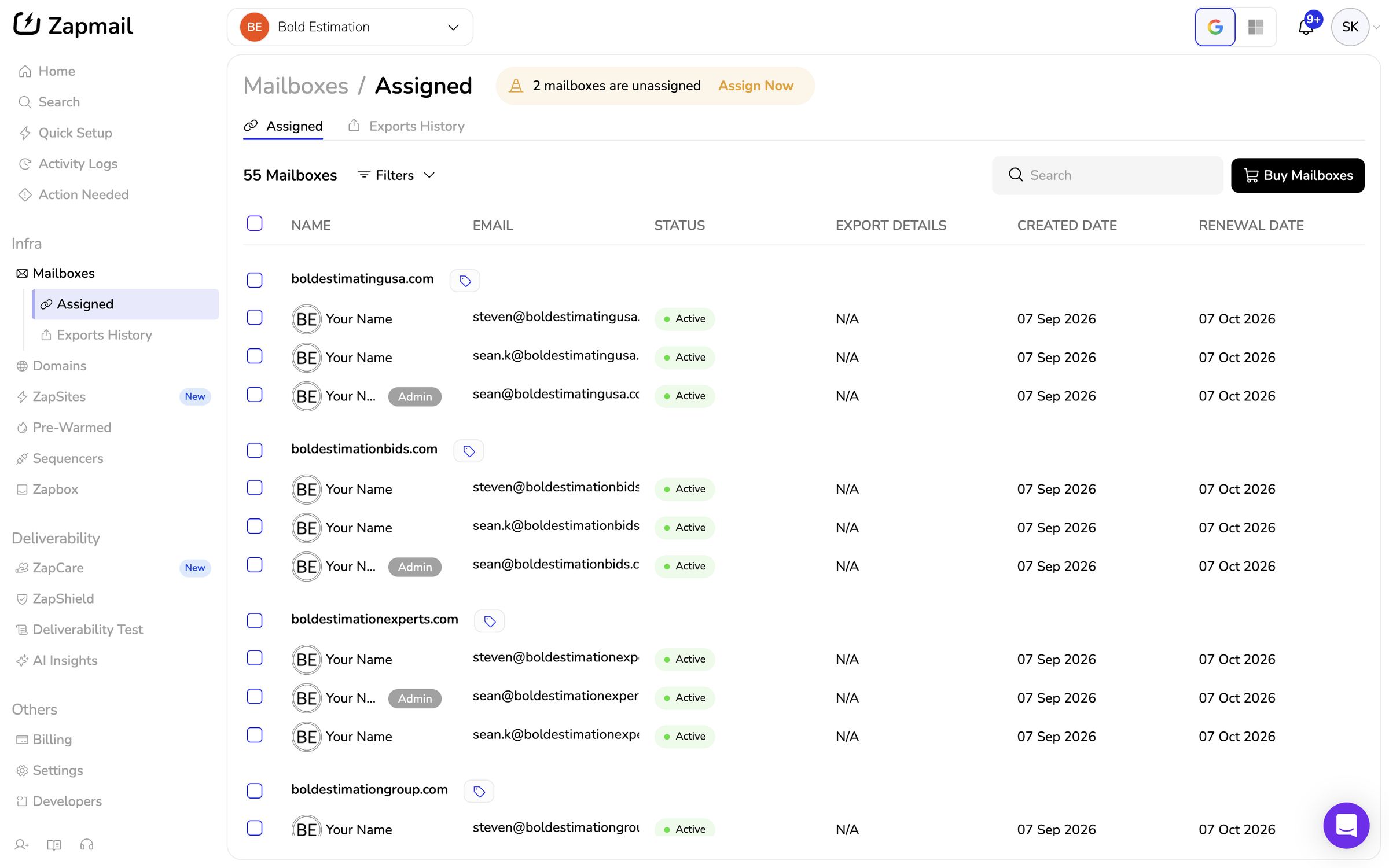
The number at the top is your total mailbox count. Every mailbox should say Active.
 Full size
Renewal date is when each mailbox bills again. Mailboxes renew every month on the card on file, so keep that card up to date.
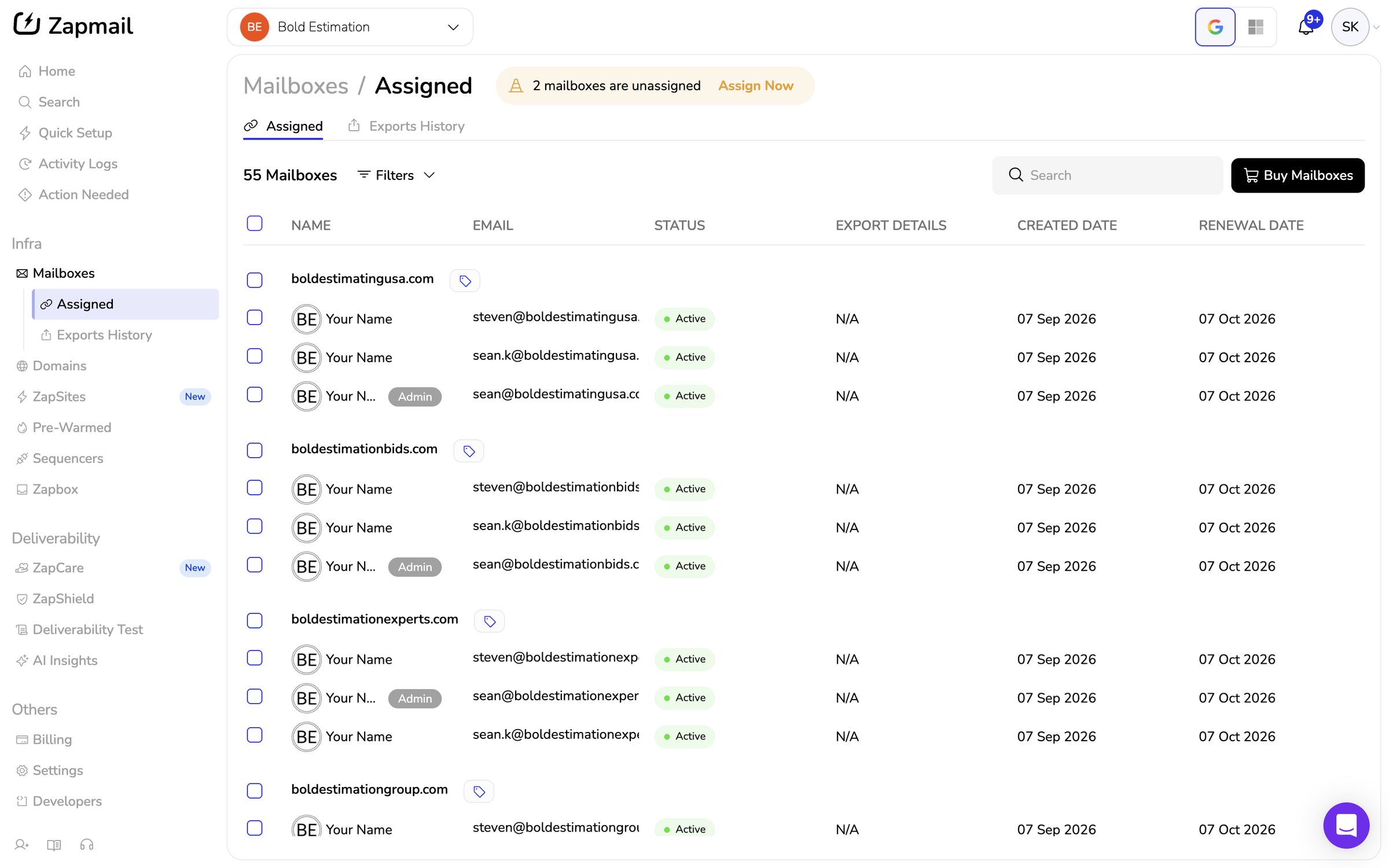 Full size
Tip. If the card fails, the mailboxes stop at renewal and every campaign that sends from them stops too. Keep a backup card on file under Billing.
Buy Mailboxes, and the delete and swap options on each mailbox, change what Bold can send from. Use them only when you mean to change the setup, as guide three shows.
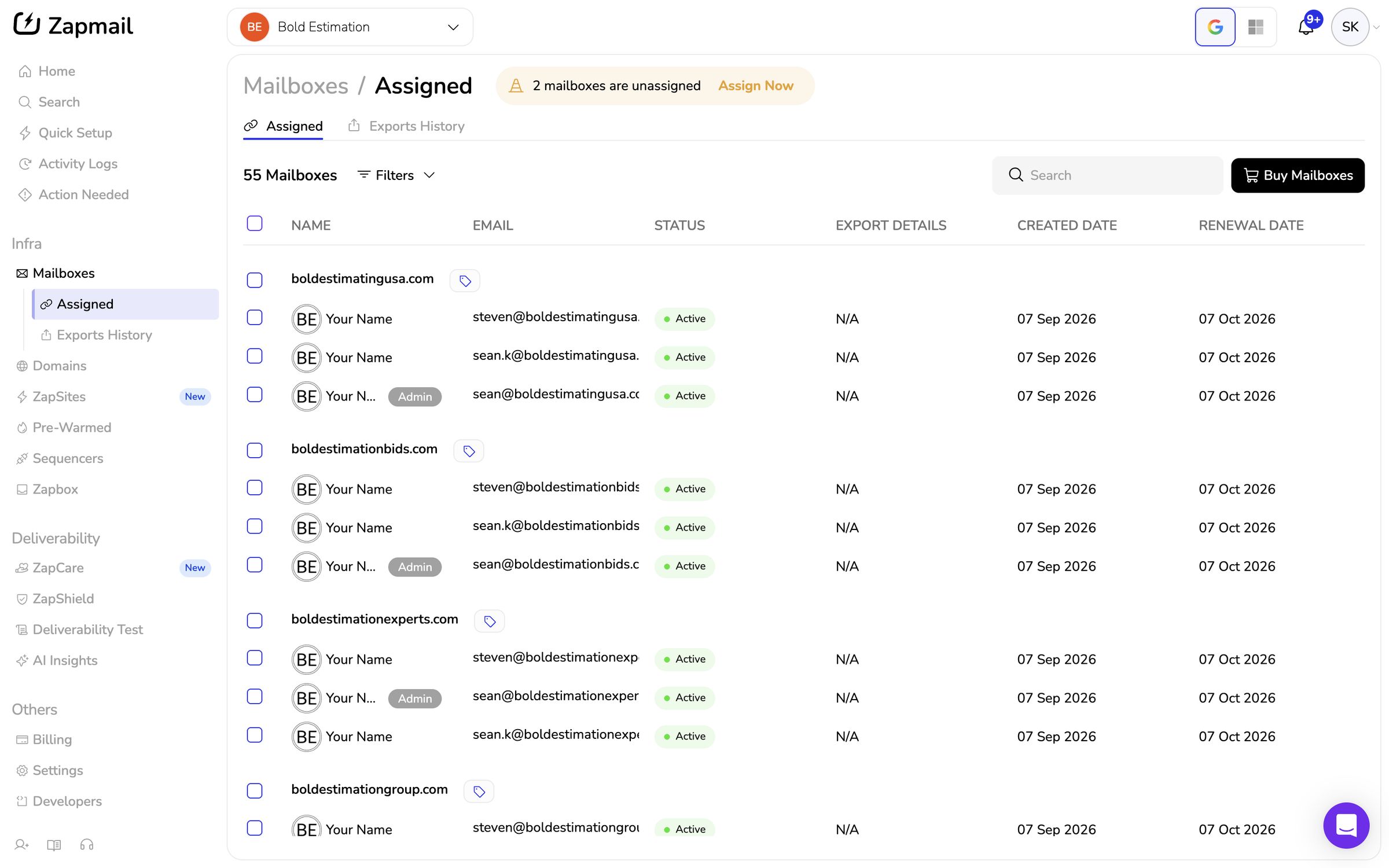 Full size
Watch out. Before you delete or swap a mailbox, remove it from every Instantly campaign first. A mailbox deleted while a campaign still uses it stops that campaign's emails from it without warning.
Not started